The complete intelligence platform for Podio developers & power users. Gain instant visibility into calculation dependencies, Git-style version control diffs, broken field tokens, and Podio Workflow Automation (formerly known as GlobiFlow) issues.
Everything runs smoothly until an innocent change breaks a critical business flow. Podio and Podio Workflow Automation fail silently—here is why proactive teams rely on Insights as their essential safety net.
Someone on your team renames an app field, deletes an unused column, or adjusts a Podio Workflow Automation filter to improve a process. It seems completely harmless at the time.
Podio never warns you that 5 calculation scripts in other apps and 3 Podio Workflow Automation flows just stopped working. Days later, you discover invoices weren't sent or reports show NaN.
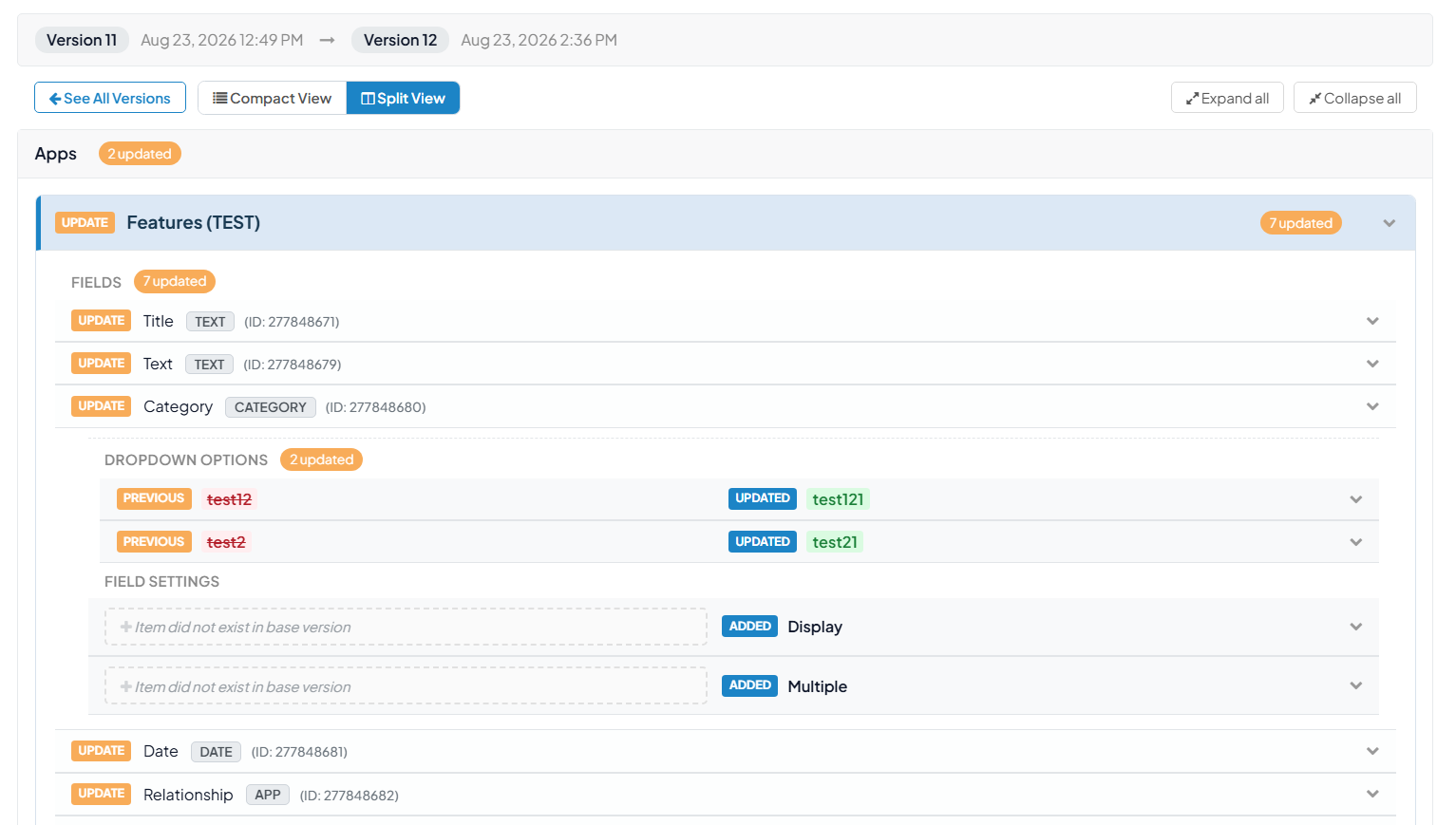
Insights immediately flags the broken reference on your dashboard. Use Git-style Split Diffs to inspect what changed and see the previous working formula so you can fix it manually in Podio in seconds.
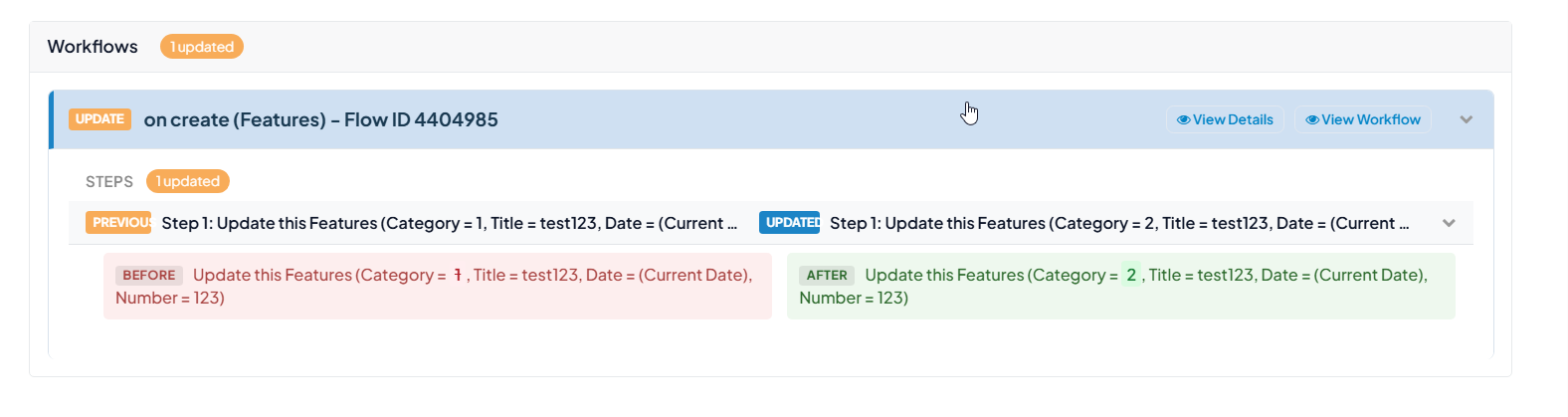
Never wonder what changed in an app field, calculation formula, or Podio Workflow Automation step. Insights captures timestamped schema snapshots on every workspace refresh with visual side-by-side diffs.
Inspect additions, modifications, and deletions with clear visual color coding:
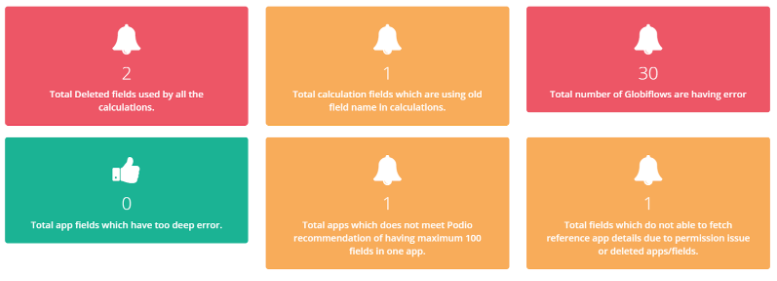
This page shows the health of your Podio system and provides real-time system diagnostics:
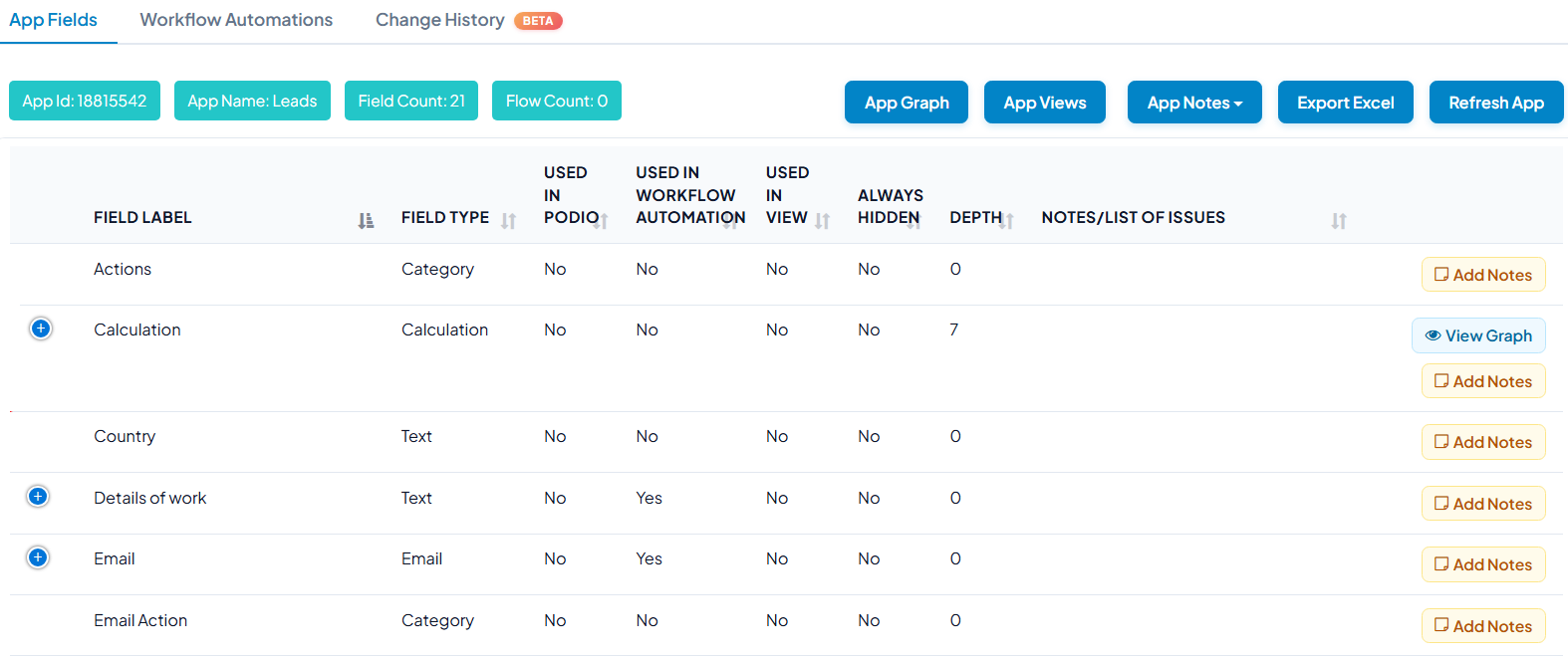
Gain high-level and granular visibility into your application structure:
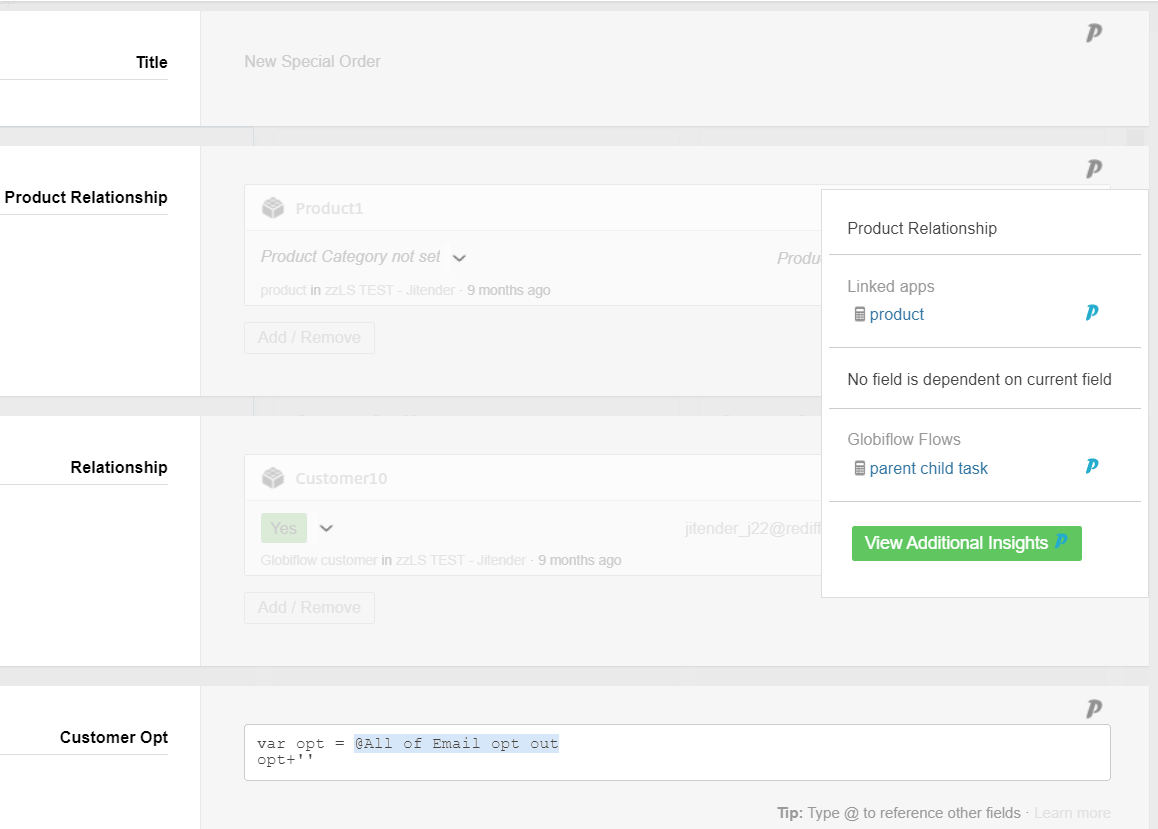
Deep dive into field-level calculations to identify which apps and fields are referenced. Easily understand incoming and outgoing relationship directions without guessing nested code.
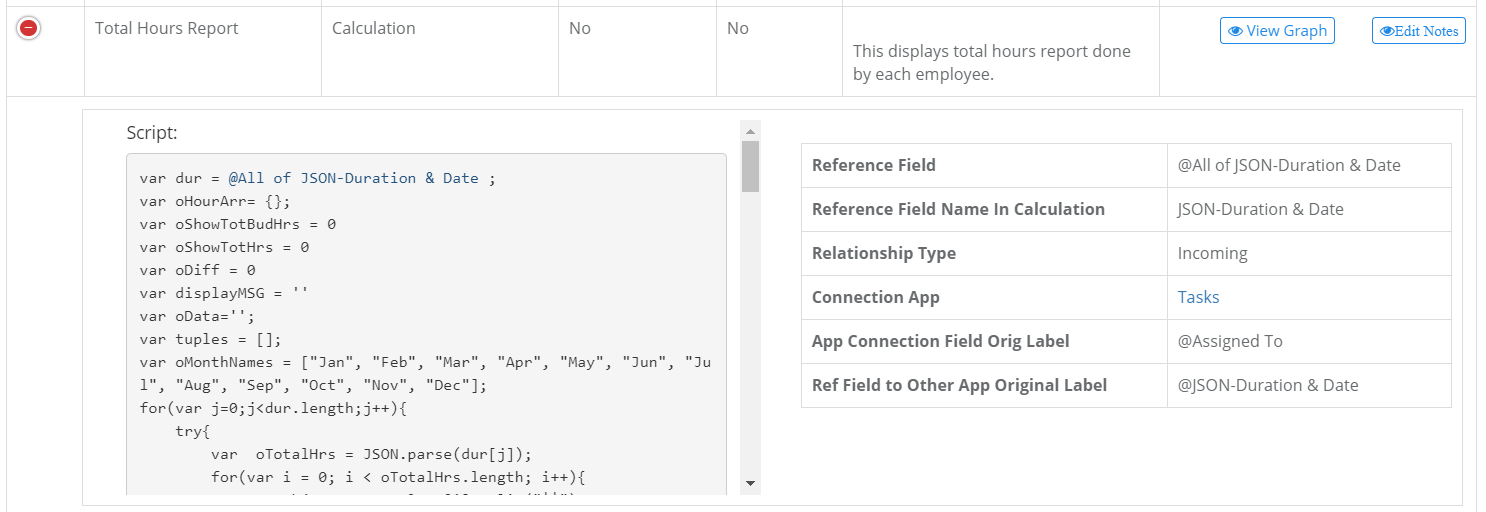
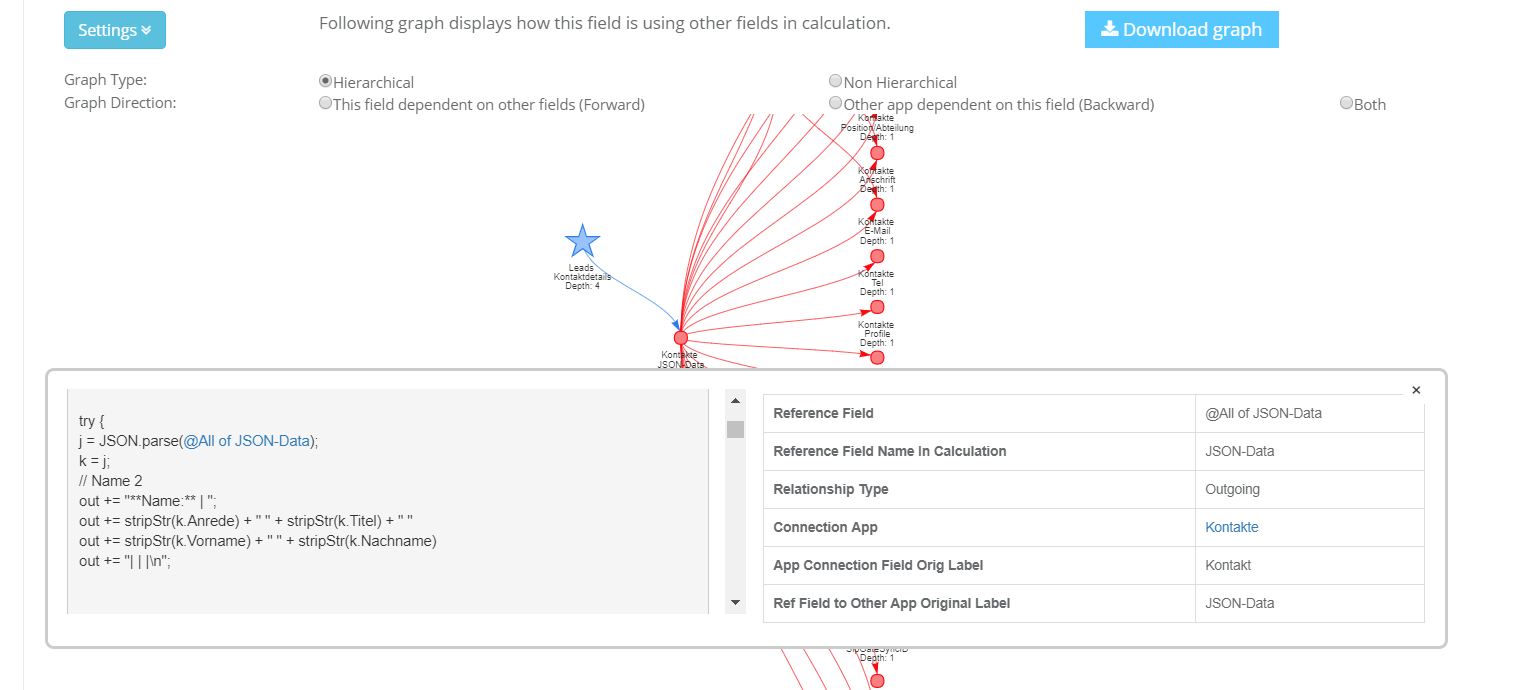
Never manually trace Podio calculation fields again:
Safeguard your automated business workflows before modifying application structures:
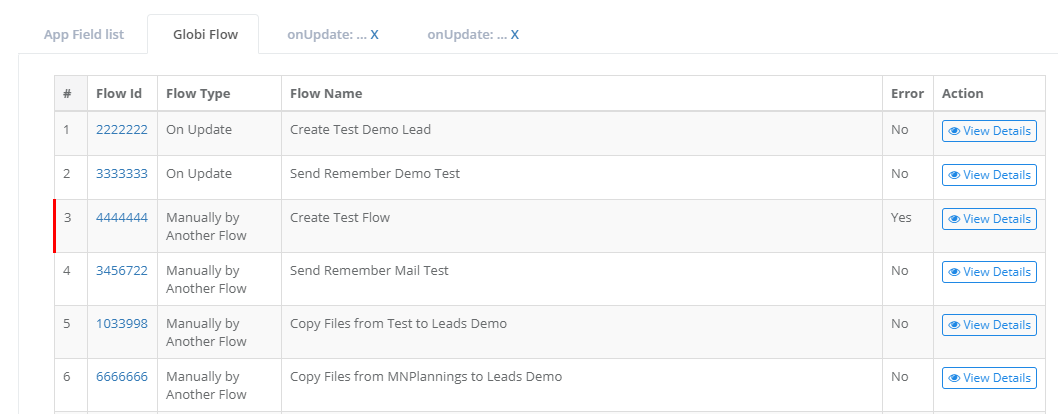
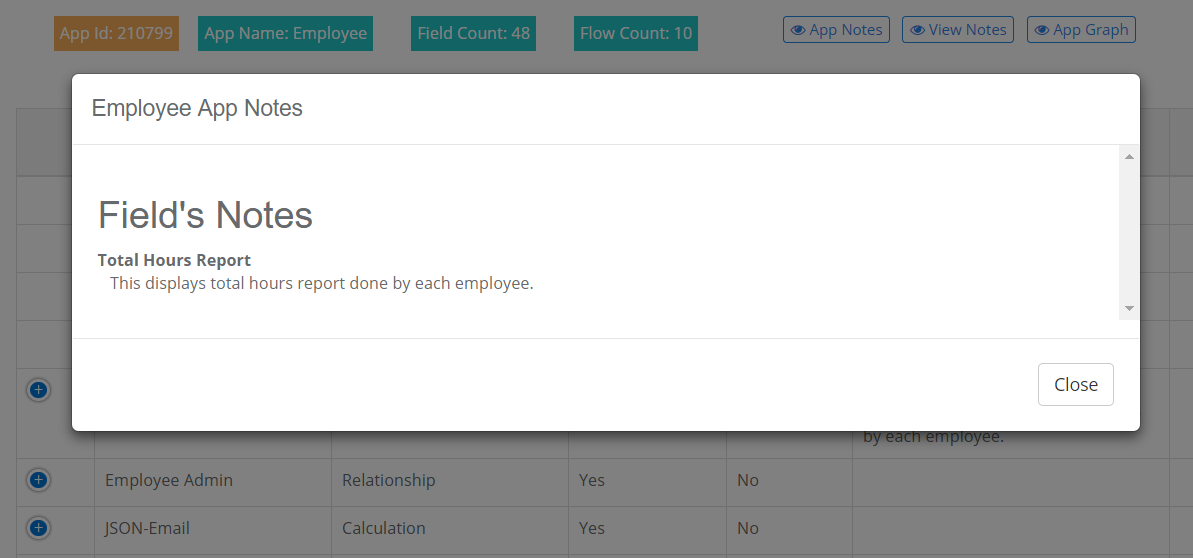
Auto-generate comprehensive documentation for your Podio system:
Gain complete visibility into automated triggers and actions linked to each Podio application:
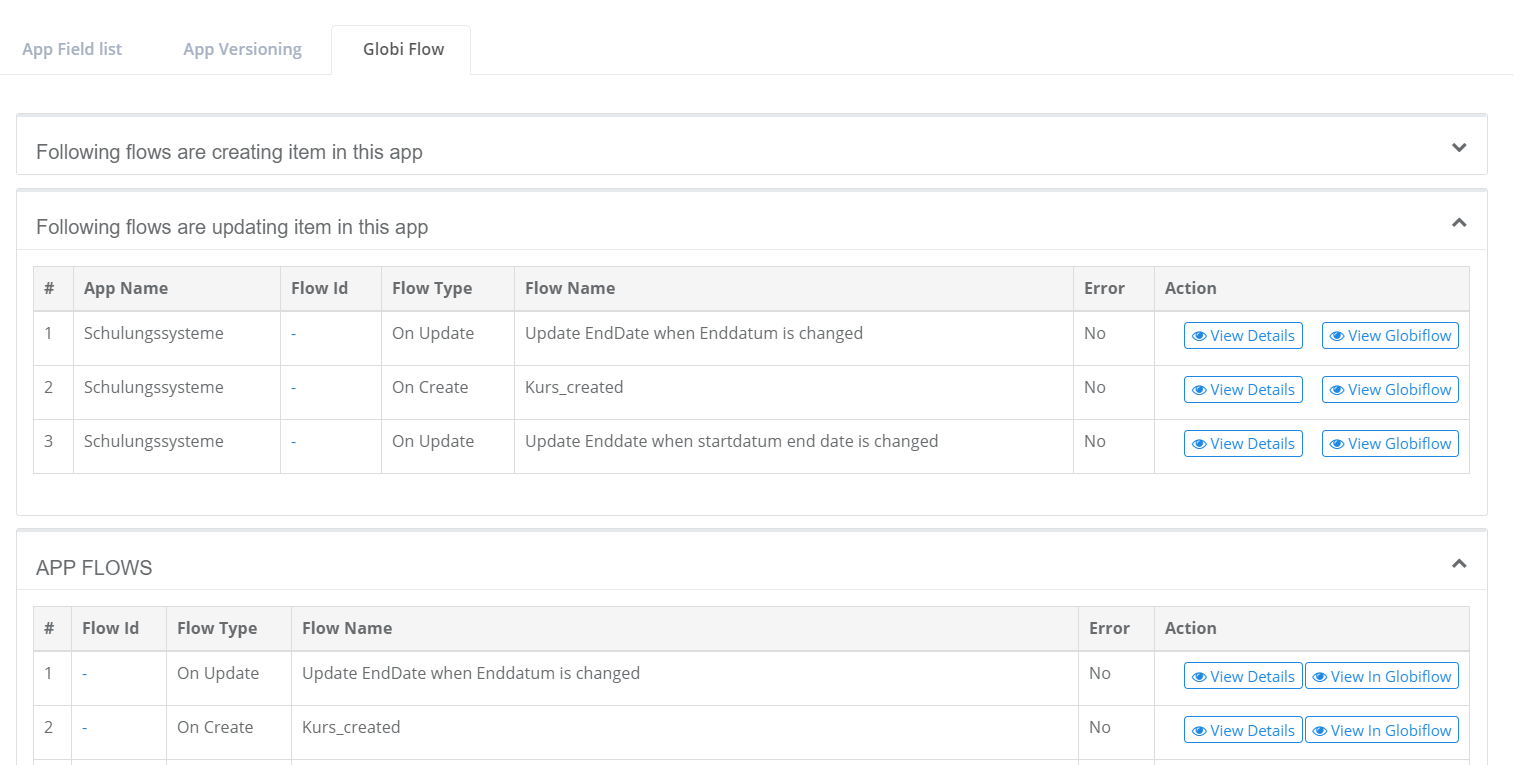
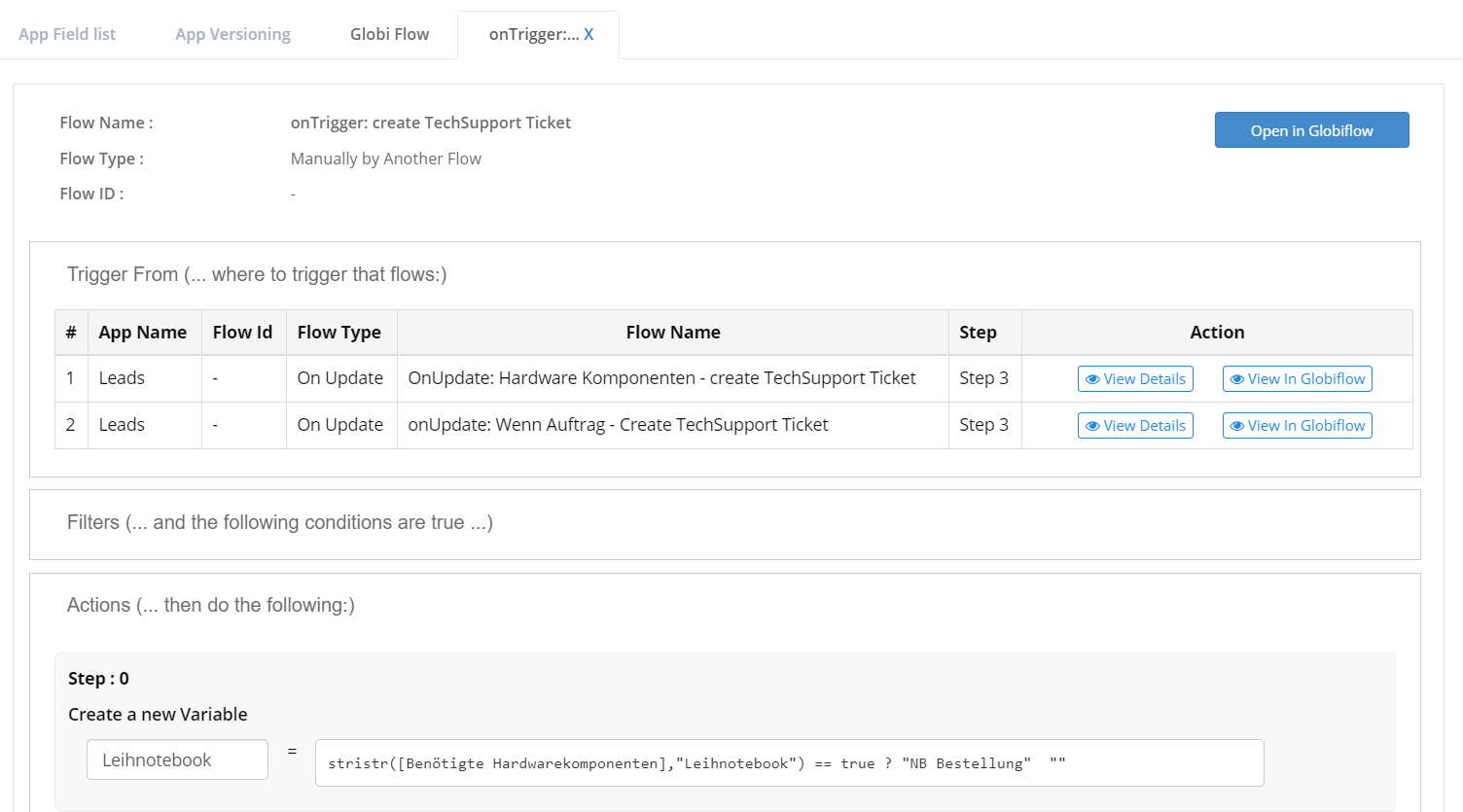
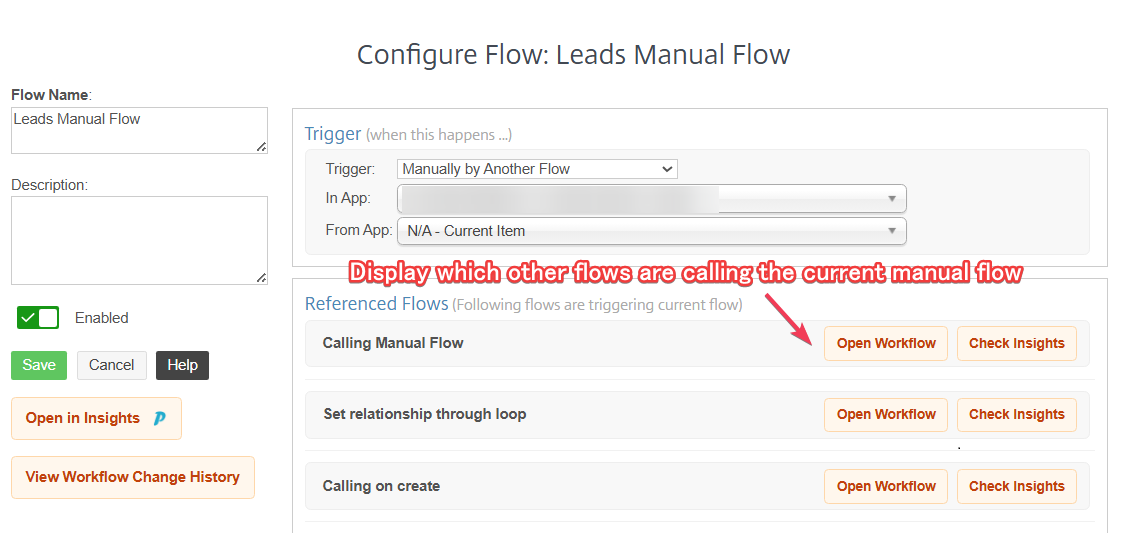
Trace button-triggered and manual flows across your entire system:
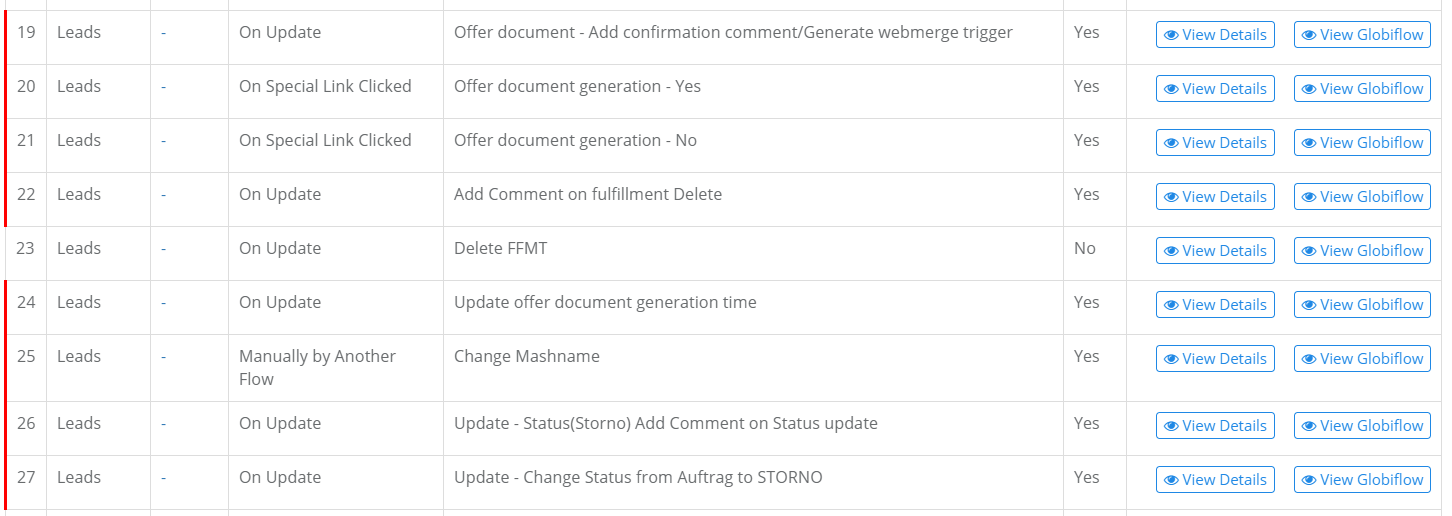
Never let broken automations halt business operations:
Access Insights for Podio directly inside your browser while managing your Podio platform & GlobiFlow workflows.


Insights is engineered strictly around a metadata-only, zero-item-data-retention principle. Your confidential business operations and client records remain 100% private in Podio.
Insights only inspects and indexes application schemas, calculation formulas, and Podio Workflow Automation logic blueprints. We never access, transfer, or store your customer records, CRM items, comments, or attachments.
Service credentials and API tokens are encrypted with AES-256-CBC using HMAC-SHA256 authenticated signatures. You maintain 100% control and can revoke access with a single click at any time.
Our background synchronization workers operate in strictly non-destructive read-only mode. Insights never creates, modifies, triggers, or deletes live items or automated workflows in your production workspaces.
Everything you need to know about Insights for Podio, version tracking, diagnostics, and data privacy.
insights@insightspod.io) as an Admin to your Podio Workflow Automation account (Account → Additional Users) or connect your service credentials securely with AES-256 encryption.
Have an idea or need enterprise-grade architecture cleanup? As certified Podio Preferred Partners, Lucenta Solutions designs scalable systems and robust automations.